Atari Jaguar, everywhere RetroArch runs.
The open-source Atari Jaguar emulator: a core for RetroArch and a standalone desktop app. Cartridges, Jaguar CD, every controller, link play. The core is prebuilt for 24 targets: desktop, Raspberry Pi, iOS, tvOS, Android, web, Switch and Vita.
Download Desktop app Compatibility Enhancements
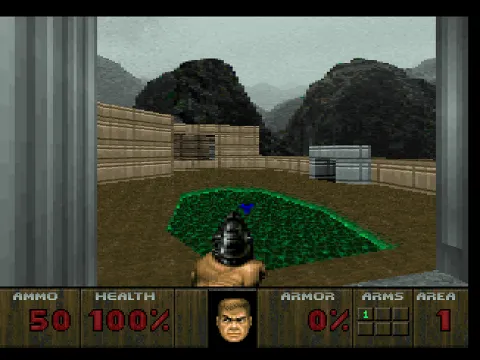
Doom An outdoor courtyard on E1M1 with a green-floored pit; ammo 50, health 100%. 2x internal resolution, true colour, Accurate blitter. 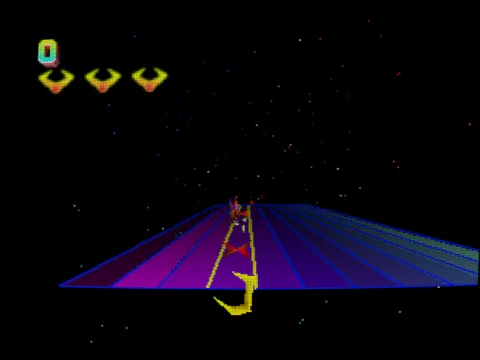
Tempest 2000 crt-lottes The claw at the rim of a flat lane web, flippers climbing toward it. Shader: crt-lottes. 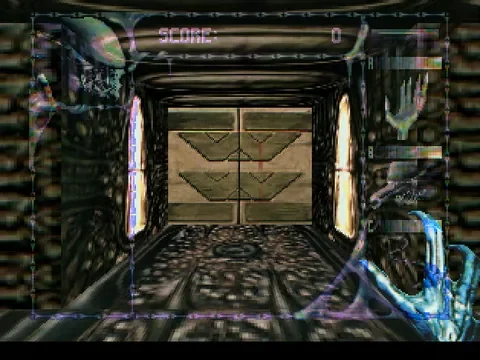
Alien vs Predator An Alien's claw in a corridor facing a chevron-panelled door. 2x internal resolution, true colour, Accurate blitter. 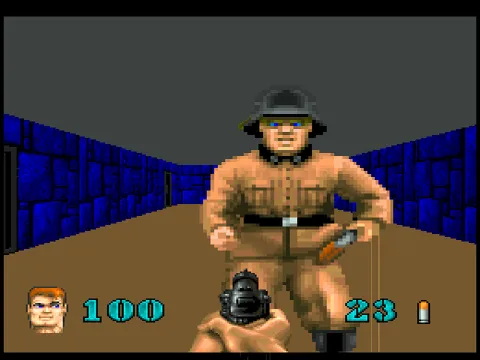
Wolfenstein 3D A guard in a blue-stone corridor; 100 health, 23 ammo. 2x internal resolution, true colour, Accurate blitter. 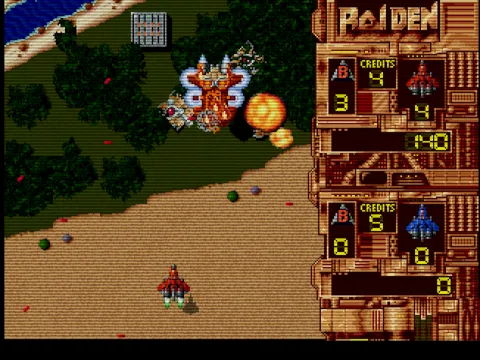
Raiden crt-aperture Over forest and beach, a red fighter below a large craft and an explosion. Shader: crt-aperture. 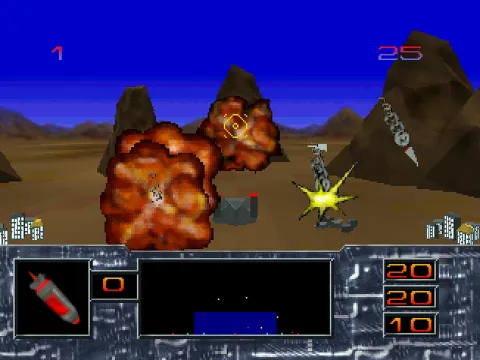
Missile Command 3D Two fireballs and an impact flash over a desert base, a missile coming down. 2x internal resolution, true colour, Accurate blitter. 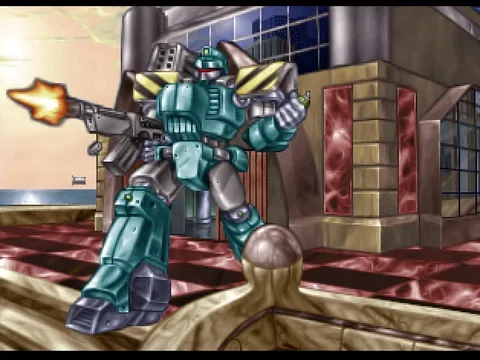
Iron Soldier The teal mech firing a rifle. 2x internal resolution, true colour, Accurate blitter. 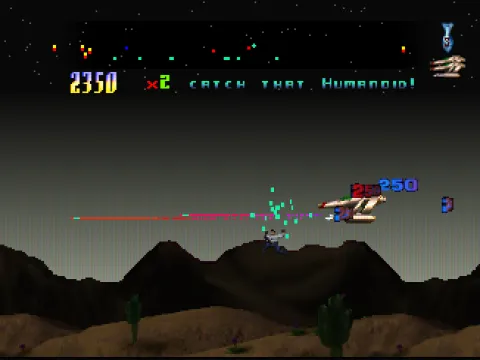
Defender 2000 crt-easymode The ship firing a laser over desert mountains: “Catch that humanoid!” Shader: crt-easymode. 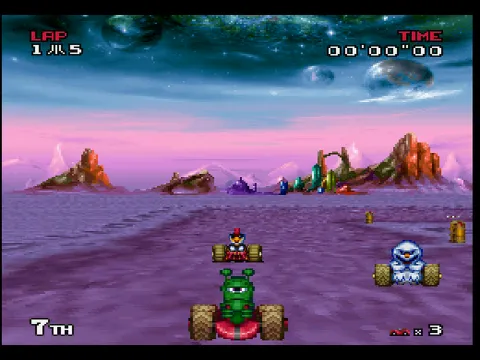
Atari Karts Race start on a purple alien plain, lap 1 of 5. 2x internal resolution, true colour, Accurate blitter. 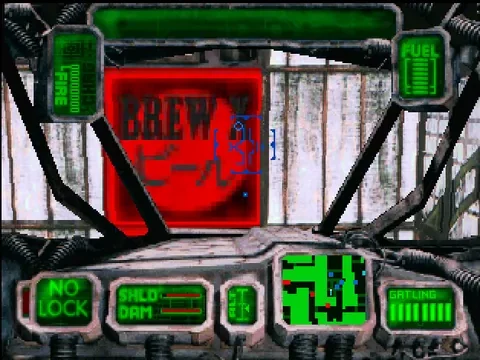
Skyhammer Cockpit view facing a red BREW sign. 2x internal resolution, true colour, Accurate blitter. 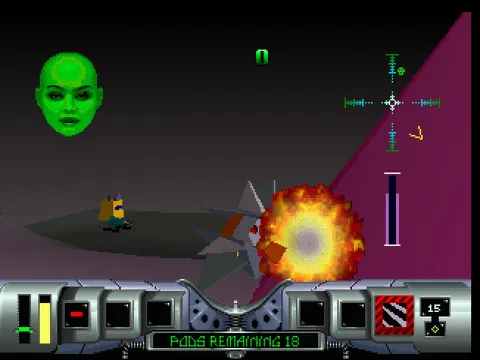
Cybermorph A fireball beside the ship; 18 pods remaining. 2x internal resolution, true colour, Accurate blitter. 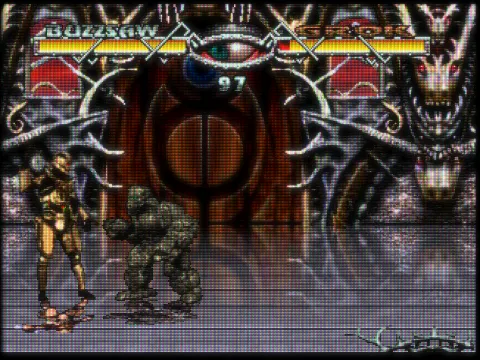
Ultra Vortek crt-royale A gold-armoured fighter against a stone-skinned opponent in a gothic hall. Shader: crt-royale. 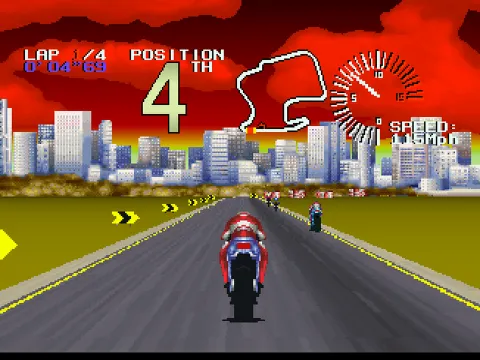
Super Burnout Fourth place at about 115 mph, a city skyline ahead. 2x internal resolution, true colour, Accurate blitter. 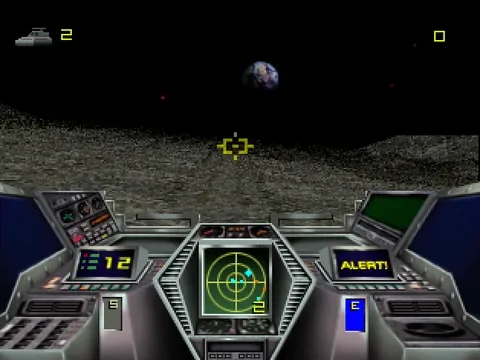
Hover Strike Cockpit over a cratered moonscape with Earth on the horizon. 2x internal resolution, true colour, Accurate blitter. 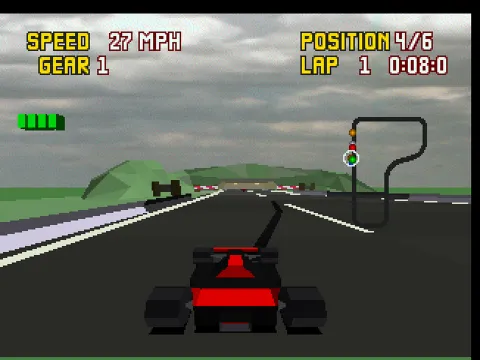
Checkered Flag A red open-wheel car, fourth of six on lap 1. 2x internal resolution, true colour, Accurate blitter. 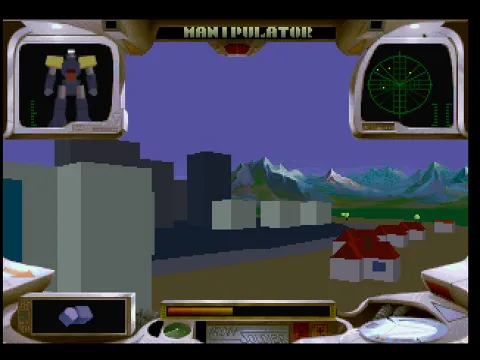
Iron Soldier The Manipulator mech cockpit over city blocks and snowy mountains. 2x internal resolution, true colour, Accurate blitter.
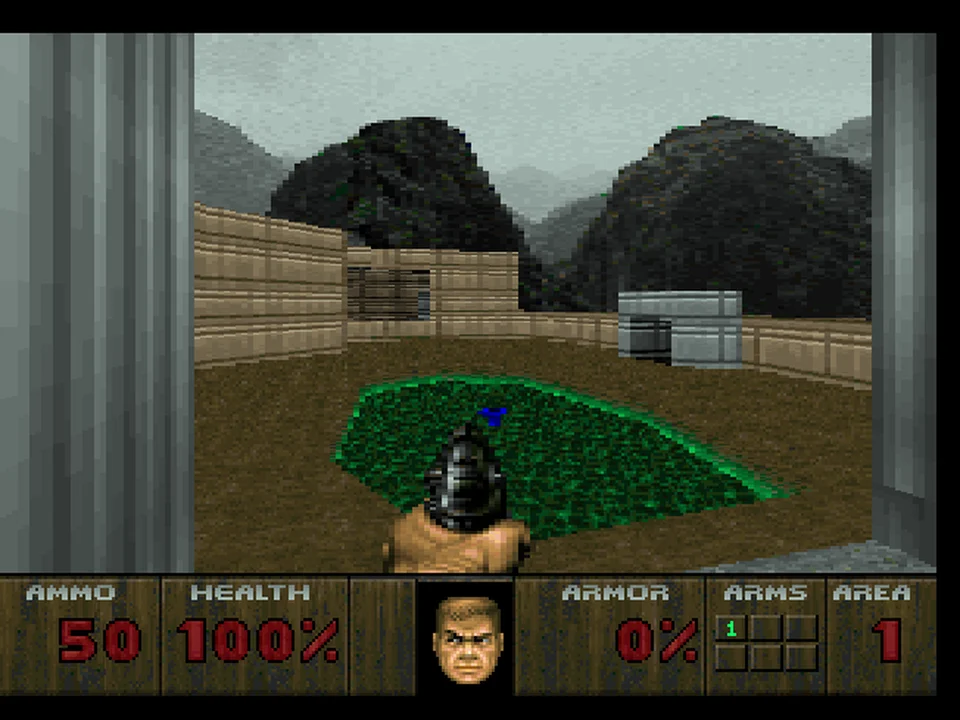
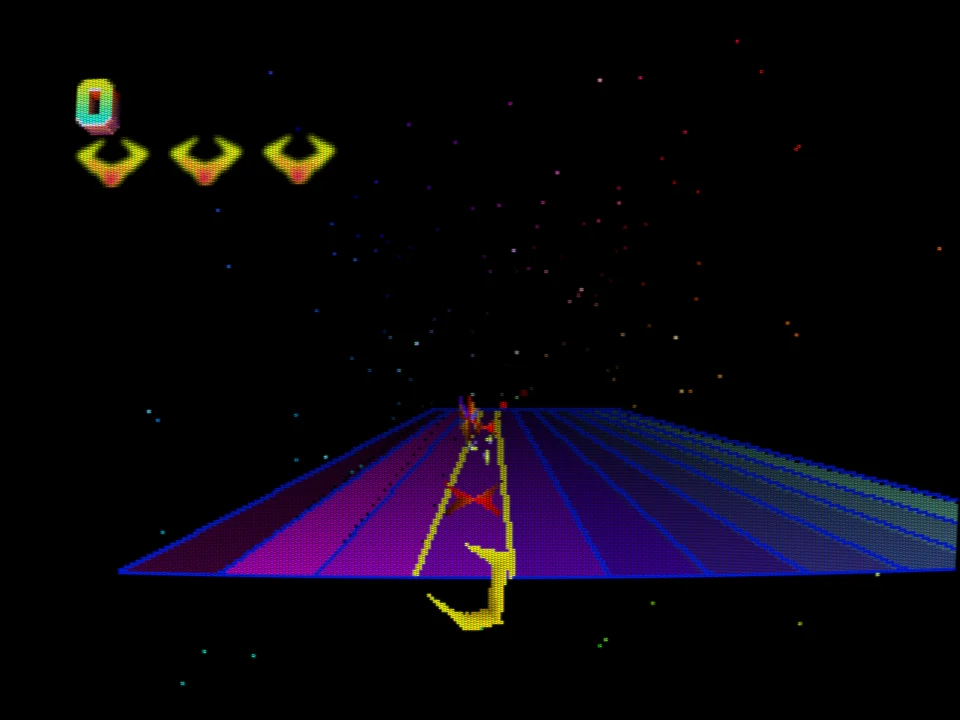
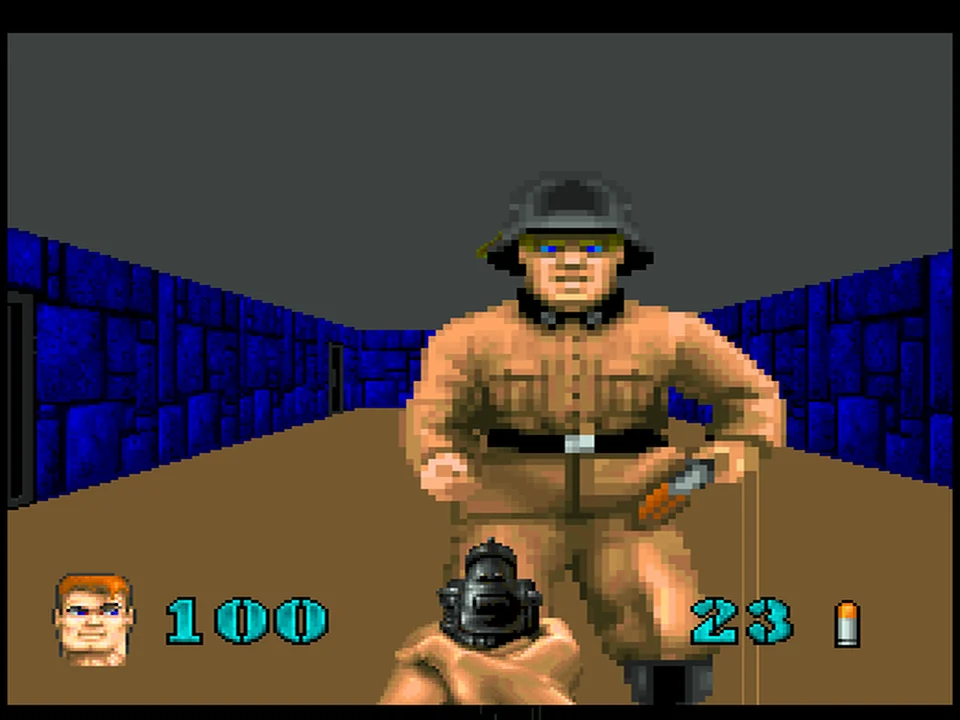
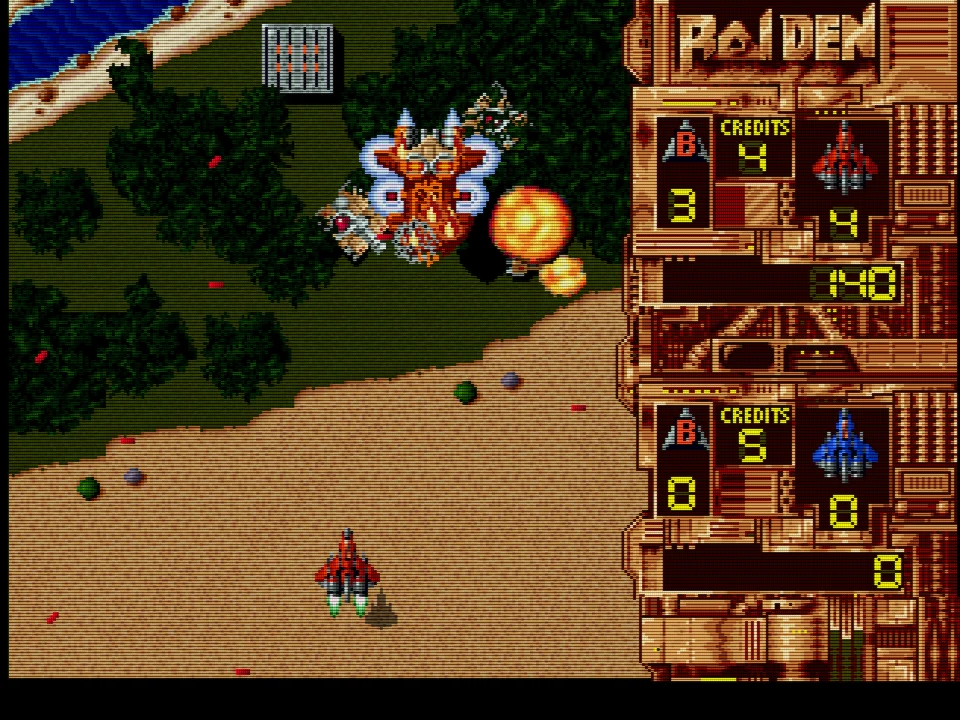
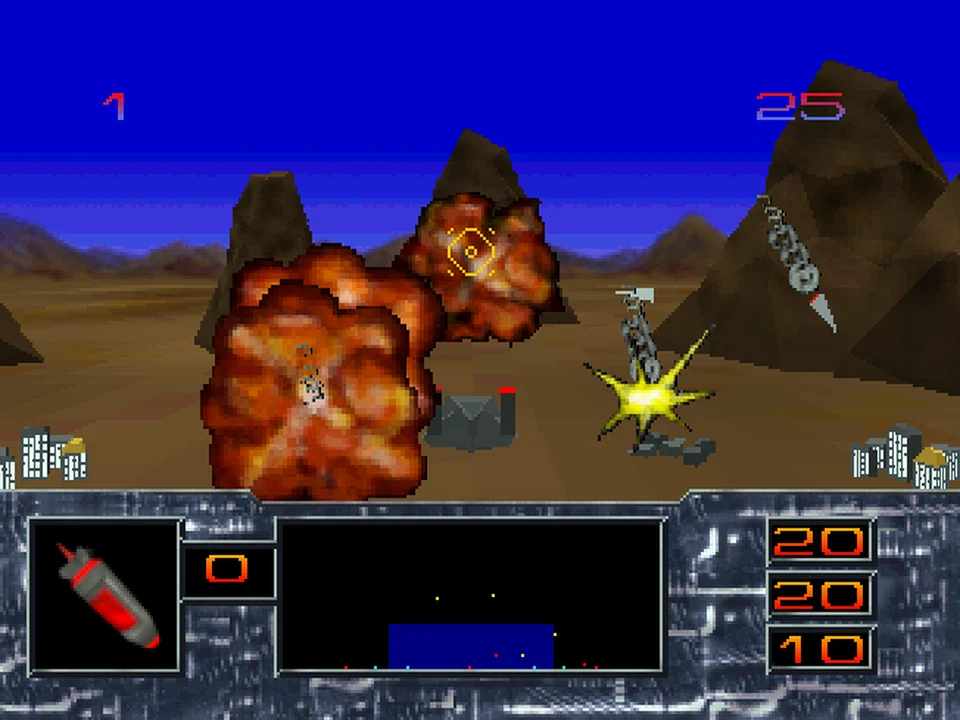
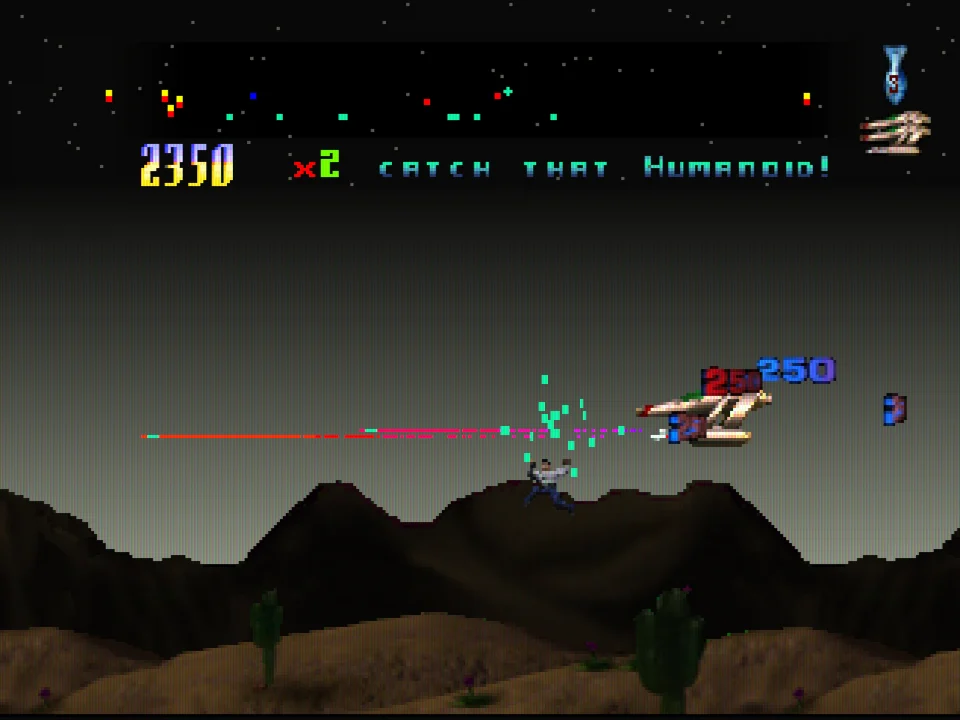
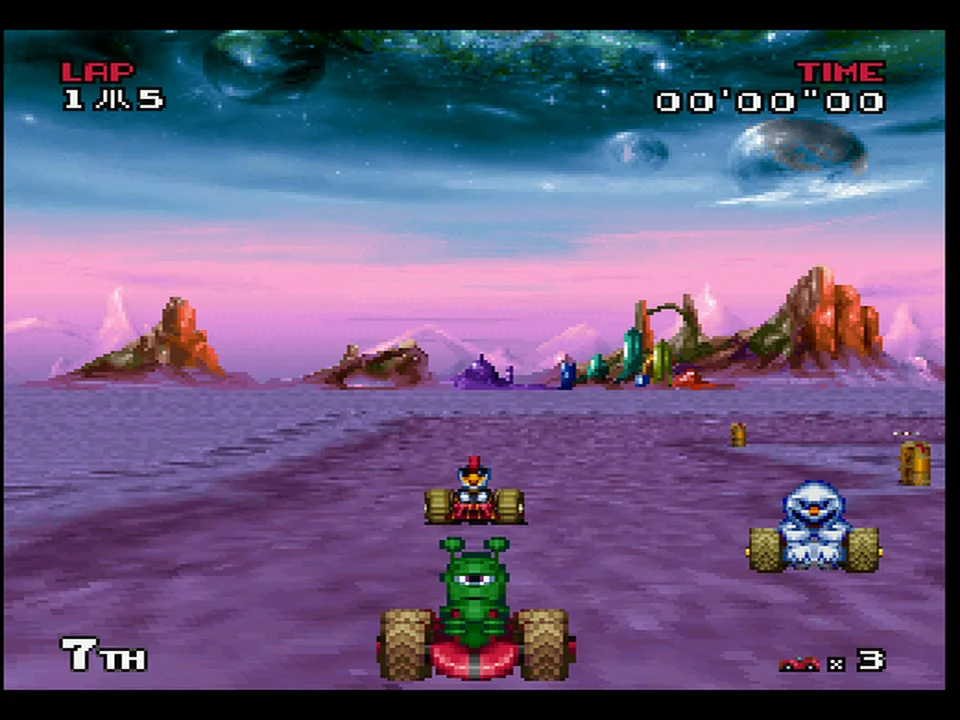
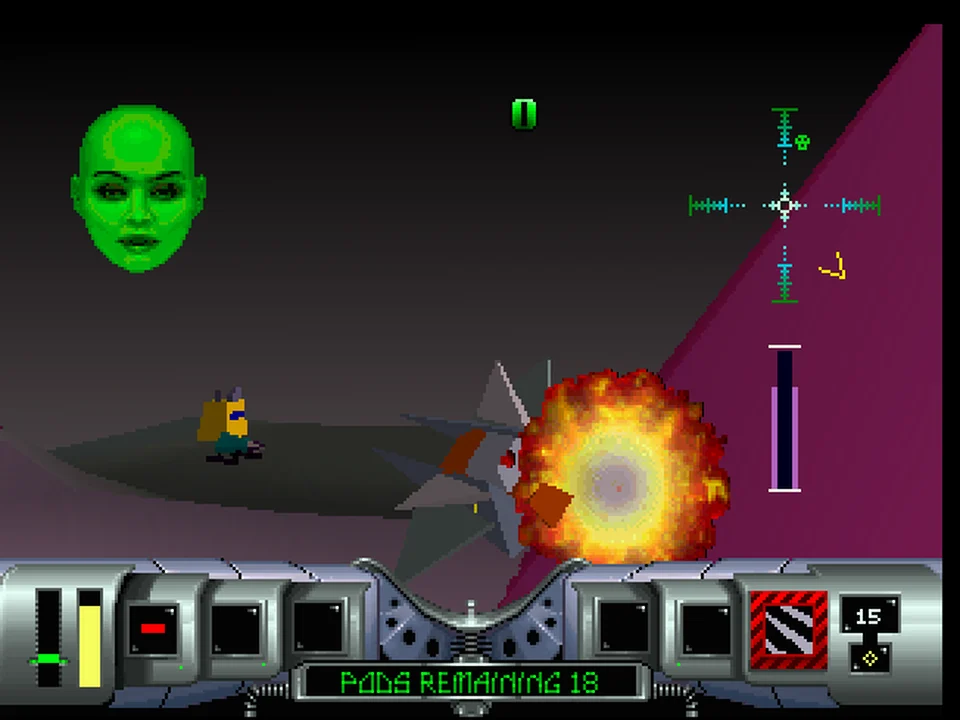
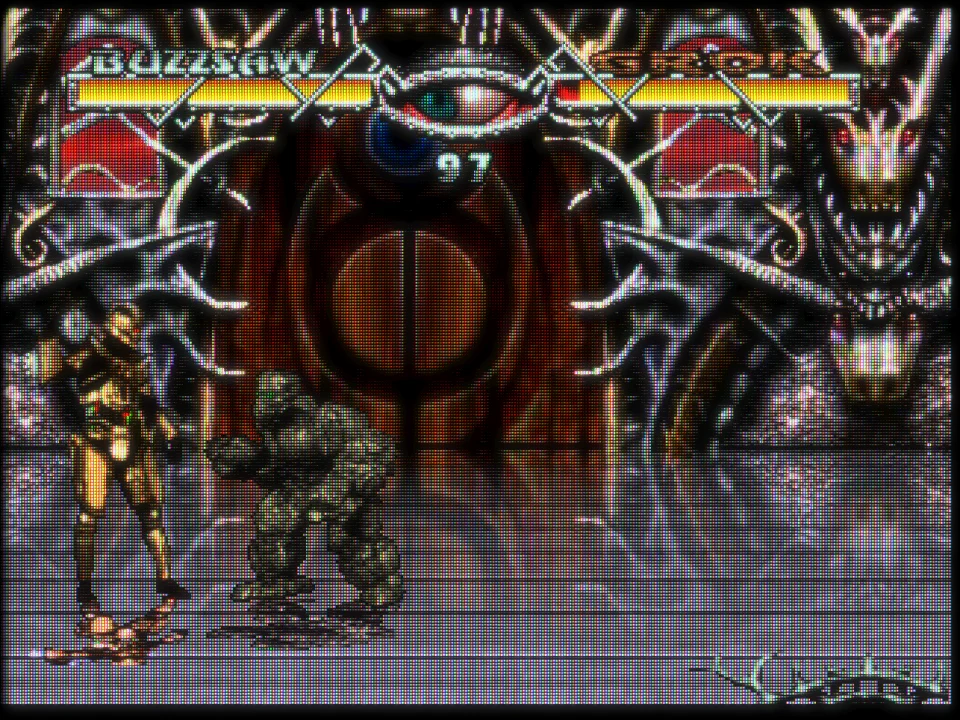
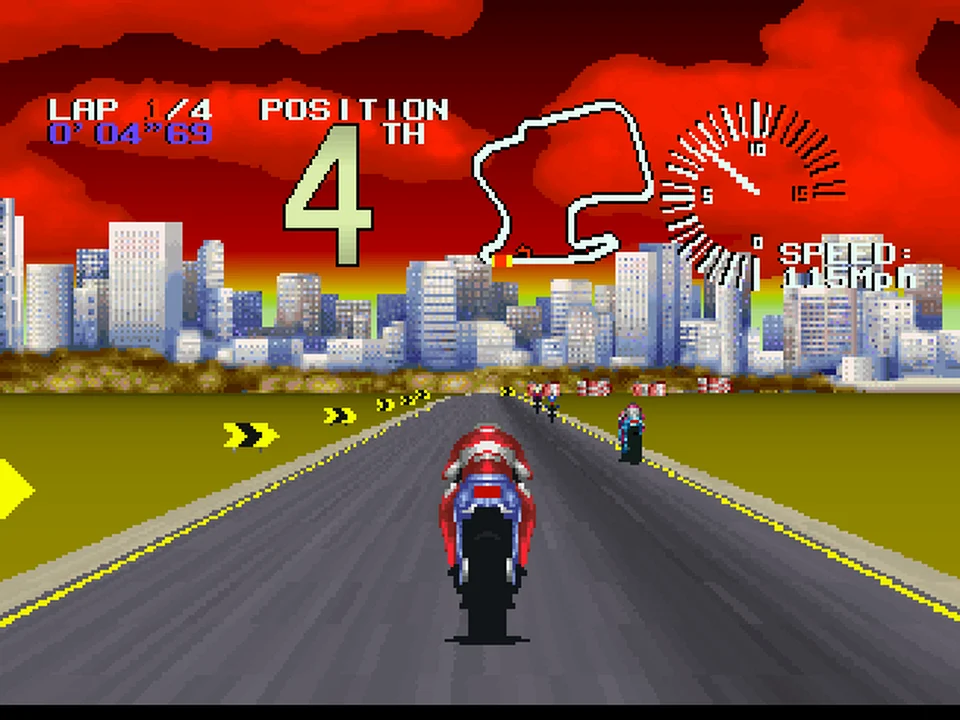
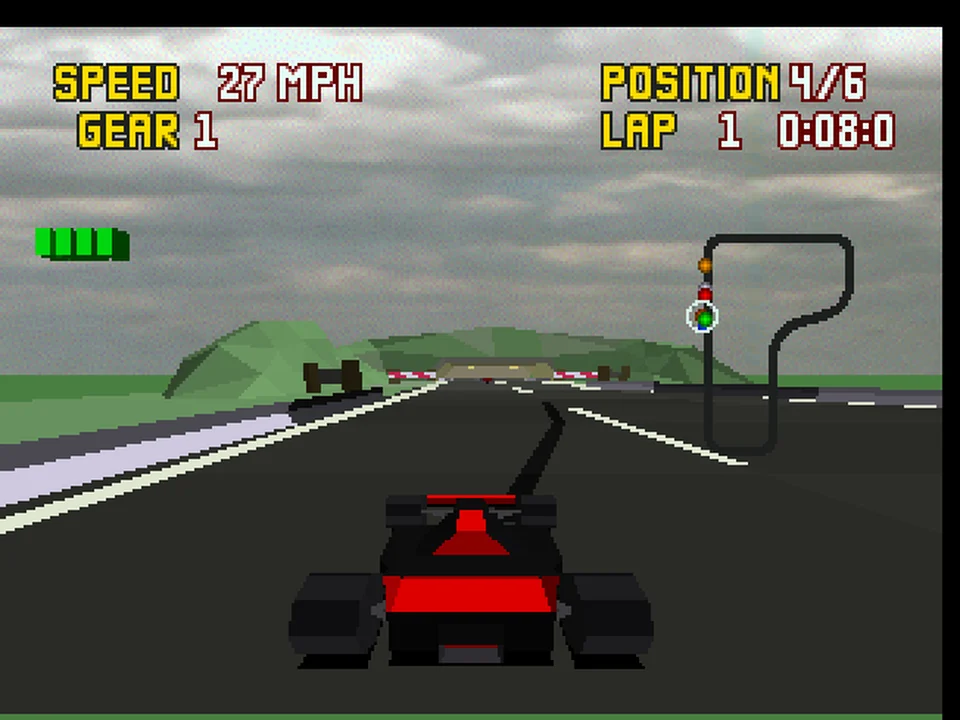
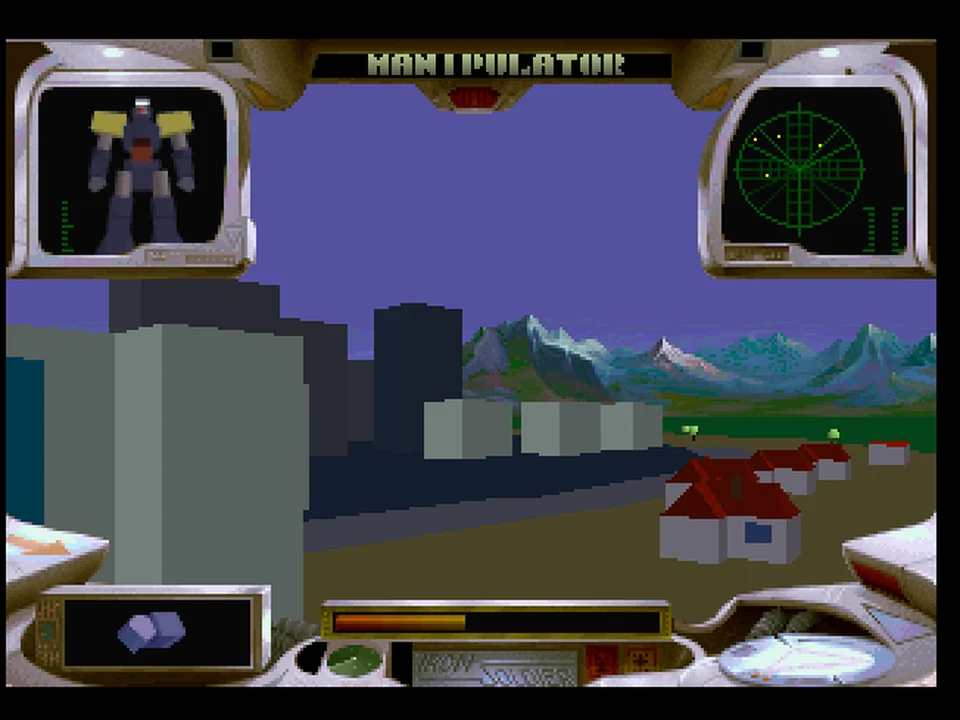
Real core frames at 2x internal resolution with true colour and the Accurate blitter; four go through a RetroArch CRT shader in the desktop app. Click one to enlarge.
Two ways to play
The RetroArch core runs inside RetroArch and any other libretro frontend, on every platform above. The app (new in v3.9.0) is a standalone program for macOS, Windows and Linux, built on the same core, so options and save states behave the same.
- Game library with box art, favorites, recents and save-state thumbnails
- RetroArch
.slangpshader presets (librashader), cheats, controller remapping, a Netplay window for LAN link play - RetroAchievements (softcore or hardcore, login kept in the system keychain) and Discord Rich Presence
- Light and dark themes, a theme editor and a choice of interface font
- Debug tools: memory viewer, cheat scanner, Object Processor list, blitter log, texture browser, audio scope, and a 68000, GPU and DSP debugger with breakpoints
Get it
Direct links for every platform are on the
Download page (latest: v3.11.0), or let the
installer do it. It installs the RetroArch core, the
standalone app, or both, checks every
download against the release's SHA256SUMS.txt (and that
list's own signature or build attestation), and the same command updates
whichever you already have. For the core it finds your
RetroArch, backs up the core it replaces and checks that the new one
loads.
macOS, Linux, Raspberry Pi
curl -fsSL https://raw.githubusercontent.com/libretro/virtualjaguar-libretro/master/tools/install.sh | shWindows (PowerShell)
irm https://raw.githubusercontent.com/libretro/virtualjaguar-libretro/master/tools/install.ps1 | iexInstaller options
Both ask what to install when run in a terminal. To skip the question,
add --what core, --what app or
--what both:
curl -fsSL https://raw.githubusercontent.com/libretro/virtualjaguar-libretro/master/tools/install.sh | sh -s -- --what both.
On Windows, iex cannot take arguments, so set
$env:VJ_WHAT = 'both' first, or run
& ([scriptblock]::Create((irm https://raw.githubusercontent.com/libretro/virtualjaguar-libretro/master/tools/install.ps1))) -What both.
install.sh
(Linux, Raspberry Pi, macOS) and
install.ps1
(Windows) take --dry-run / -DryRun to print the
plan and change nothing, and --channel nightly /
-Channel nightly. The app goes to /Applications
on macOS, ~/.local/bin as an AppImage on Linux
(--app-format deb for the package) and
%LOCALAPPDATA%\Programs\VirtualJaguar on Windows. On a Pi the core installer reads the word size from the
RetroArch binary, not the kernel, because the core must match RetroArch
(rpi4 is 32-bit, rpi4_64 is 64-bit).
Nightlies build from
develop (currently v3.11.0) and are
gated on compiling, not on the test suite.
Manual: libretro docs, with core options and controls. No BIOS files are required (README: BIOS). Wondering whether your game works? See Compatibility.
What ships
- Jaguar CD
-
CUE/BIN, CDI and CHD. Boots through an HLE CD BIOS (default) or the real BIOS on emulated BUTCH hardware. Audio CDs and the Virtual Light Machine work. With no content loaded, the core starts at the CD BIOS insert-disc screen. A disc swap restarts the console. HLE CD titles are deterministic under run-ahead and rollback, and a state saved mid-load resumes the load. CHD needs a session-aware chdman; every release attaches one.
- Controllers
-
ST and Amiga mouse, the Tempest 2000 rotary, TR10 analog and driving, the port-1 lightgun, the Team Tap, the Pro Controller and the 6D flight stick. Dead zone, offset and response are tunable per axis. The 6D stick is a best attempt: no software that uses it is known.
- Link play
-
JagLink and CatBox serial, at register level. Automatic mode rides a RetroArch netplay session with nothing to type. Direct TCP finds LAN hosts by UDP beacon. Doom deathmatch is validated, and since v3.8.0 it no longer drops to 30 fps. Ultra Vortek dials the emulated Voice Modem (press 911 at the title screen), and voice chat carries speech over it.
- Savestates and run-ahead
-
Byte-identical replay under RetroArch’s run-ahead loop, checked by a harness. The format is v17. Older states still load, but older cores cannot read v17.
- RetroAchievements
-
Memory maps and achievement support, asserted in CI against the rcheevos mapping.
- GameDrive and Memory Track
-
GameDrive 16 MB bank switching against RetroHQ’s GDBIOS bindings; GD-locked homebrew boots, and since v3.8.0 GameDrive software can read and write an SD card backed by a host folder. The CD unit’s Memory Track save cartridge is emulated, so CD saves persist.
- HD textures
-
Dump every unique blit source as a hashed PNG, redraw it, drop it in a pack directory. Replacement is presentation only, so savestates and netplay stay bit-identical with or without a pack.
- Patches, cheats and hooks
-
The frontend applies cartridge softpatches (IPS and friends). CD images are not softpatched. Your own
vj_hooks.txtpatches load behind a core option. - Debugging
-
A GDB remote stub exposes the 68K, GPU and DSP as threads. A crash watchdog writes the failing subsystem into your frontend log. Series K and Model M boot ROMs are embedded, and a custom image is identified by checksum.
- Source
-
GPLv3, descended from Shamus Hammons’ Virtual Jaguar. Hardware-referenced tests gate CI.
Release log
| Version | What landed | Links |
|---|---|---|
| v3.11.0 | The emulation thread is on by default, with "Match display" pacing, community cheats in the app, a finished TV mode, faster GPU and DSP emulation, and AvP's marines fight back. | release · notes |
| v3.10.0 | Controller-friendly TV mode, a more responsive desktop app, multi-disc playlists, and optional AI players. | release · notes |
| v3.9.1 | Xenowings gets its sound effects back, Doom's GPU wait loop no longer eats a RISC overclock, and the desktop app gains shaders on every package, an Interface settings tab and a new font picker. | release · notes |
| v3.9.0 | RISC overclocking no longer costs more than it should, and the Virtual Jaguar desktop app ships: a standalone emulator for macOS, Windows and Linux built on the same core. | release · notes |
| v3.8.0 | Correct by default. Flip Out runs, Fight For Your Life boots on the real BIOS, Club Drive has sound under HLE, White Men Can't Jump stops tearing, and Doom netplay holds 60 fps. | release · notes |
Older releases (v3.7.1 to v3.0.0)
| Version | What landed | Links |
|---|---|---|
| v3.7.1 | Broken-games release, continued. Xenowings is now playable, Club Drive stops crashing when you drive, and the homebrew carts that froze the Accurate blitter now run. | release · notes |
| v3.7.0 | Broken-games release. Most of the fixes are for Jaguar CD titles that froze, showed a black screen or would not boot, plus two cartridge fixes, three blitter fixes and an OP fix. HLE-mode CD titles now behave under run-ahead and rollback. | release · notes |
| v3.6.1 | A patch release for one thing: booting the core with no content now lands you in the CD BIOS, which is the screen you insert a disc from. | release · notes |
| v3.6.0 | Debugger & libretro surface. A GDB remote stub you can attach a real m68k-elf-gdb to, the disk-control interface that makes booting with no content and swapping a disc mid-session possible, a user-authorable patch/hook file, and a broad SIMD pass that speeds up the parts of the emulator that were actually hot. | release · notes |
| v3.5.1 | A small fast-follow to v3.5.0. No emulation behaviour changes: this release makes the core options honest about what they do to each other, shortens the descriptions that had grown into walls of text, and fixes a test fixture that kept make test red on a clean tree. | release · notes |
| v3.5.0 | Every Jaguar controller Atari shipped (and one it never did) is now emulated, community HD texture packs can replace a title's own blitter art, the Voice Modem can carry an actual voice, and the core can finally be profiled on the device instead of only on a developer's desktop. | release · notes |
| v3.4.0 | The peripheral release. Every controller the Jaguar ever had - plus the one that let you phone your opponent - now works, alongside a texture-dump pipeline for HD pack authors and user-selectable boot ROMs. | release · notes |
| v3.3.0 | Hi-res completion and correctness release: the internal-resolution track now adds real detail on every video mode and on scaled sprite objects, not just CRY gouraud - which is what finally makes 2D titles benefit. | release · notes |
| v3.2.0 | Enhancement-suite release: the first two visible pieces of the modern-emulation track - full-precision gouraud rendering and 2x internal resolution - plus a cluster of game-fix work: Raiden's two bugs, Power Drive Rally's mid-game sound freeze, and damaged CDI V2 rips now booting. | release · notes |
| v3.1.0 | New-feature release: Jaguar GameDrive support, clock-scale (overclock) options, audio-CD / Virtual Light Machine playback, and savestate compatibility restored for every format any released core ever wrote - plus a substantially hardened test suite that now covers the CD path in CI with no commercial discs. | release · notes |
| v3.0.0 | Jaguar CD support matures into a full local-corpus boot pass in both BIOS and HLE modes, Jaguar Link networking ships (JagLink/CatNet over TCP and RetroArch netplay), core options are reorganized into categories with content-aware hiding, and a wide compatibility wave lands across retail carts. | release · notes |
Every release, with its binaries, is on the releases page.
Help and feedback
Reports go in Discussions, confirmed bugs in Issues. Attach the frontend log: the crash watchdog writes the failure signature into it.